Websites for Perth service businesses
Your business, online and running itself.
Bookings and quotes in one website. Payments, stock and an admin page are added as you need them. Built by a Perth business that runs on this same system.
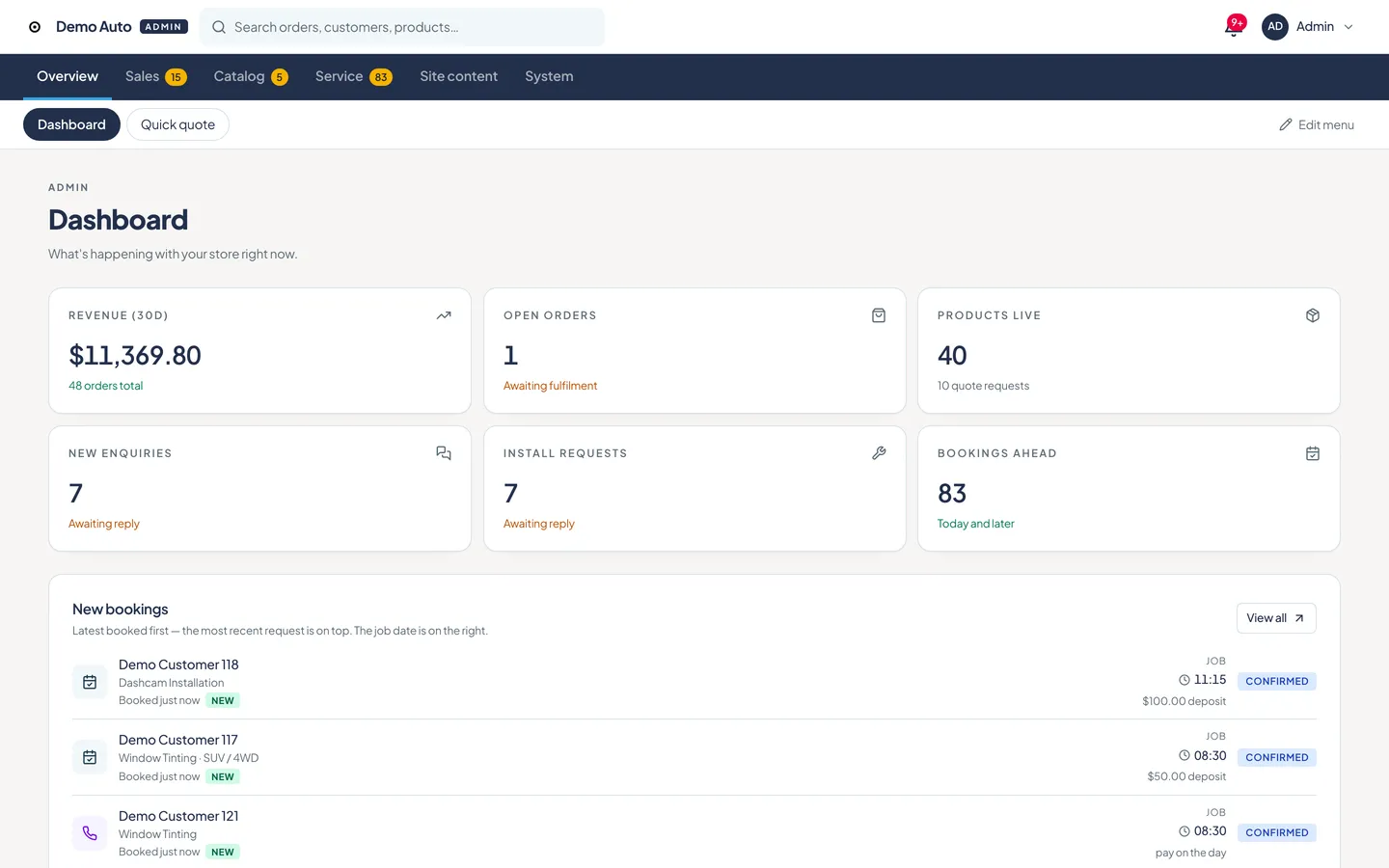
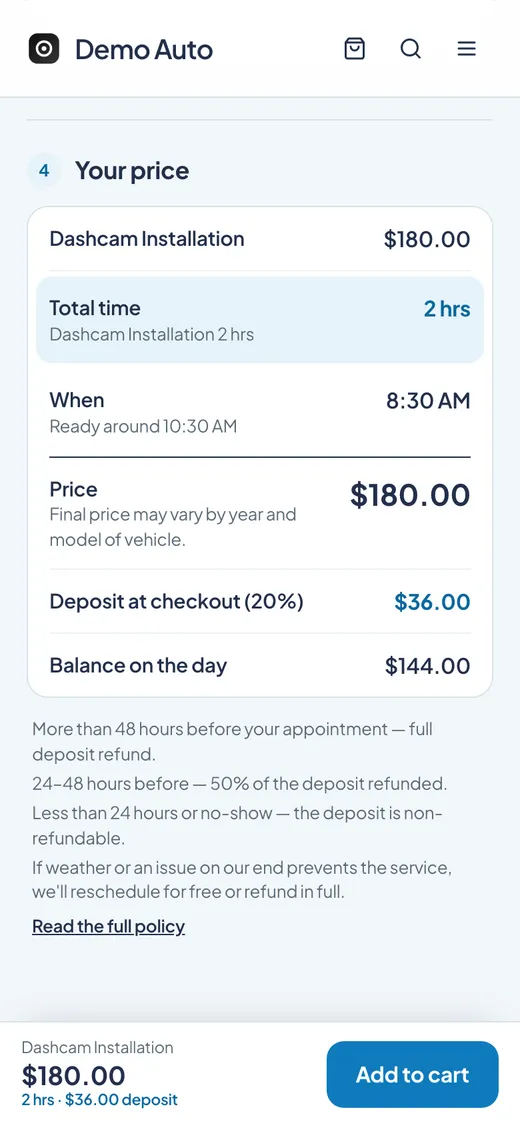
Demo screens with sample data.
What you get
Four parts that work together, built around your trade.
Pick the parts you need, and add more as the business grows.
01
Quick quote
Quote and book without the back-and-forth.
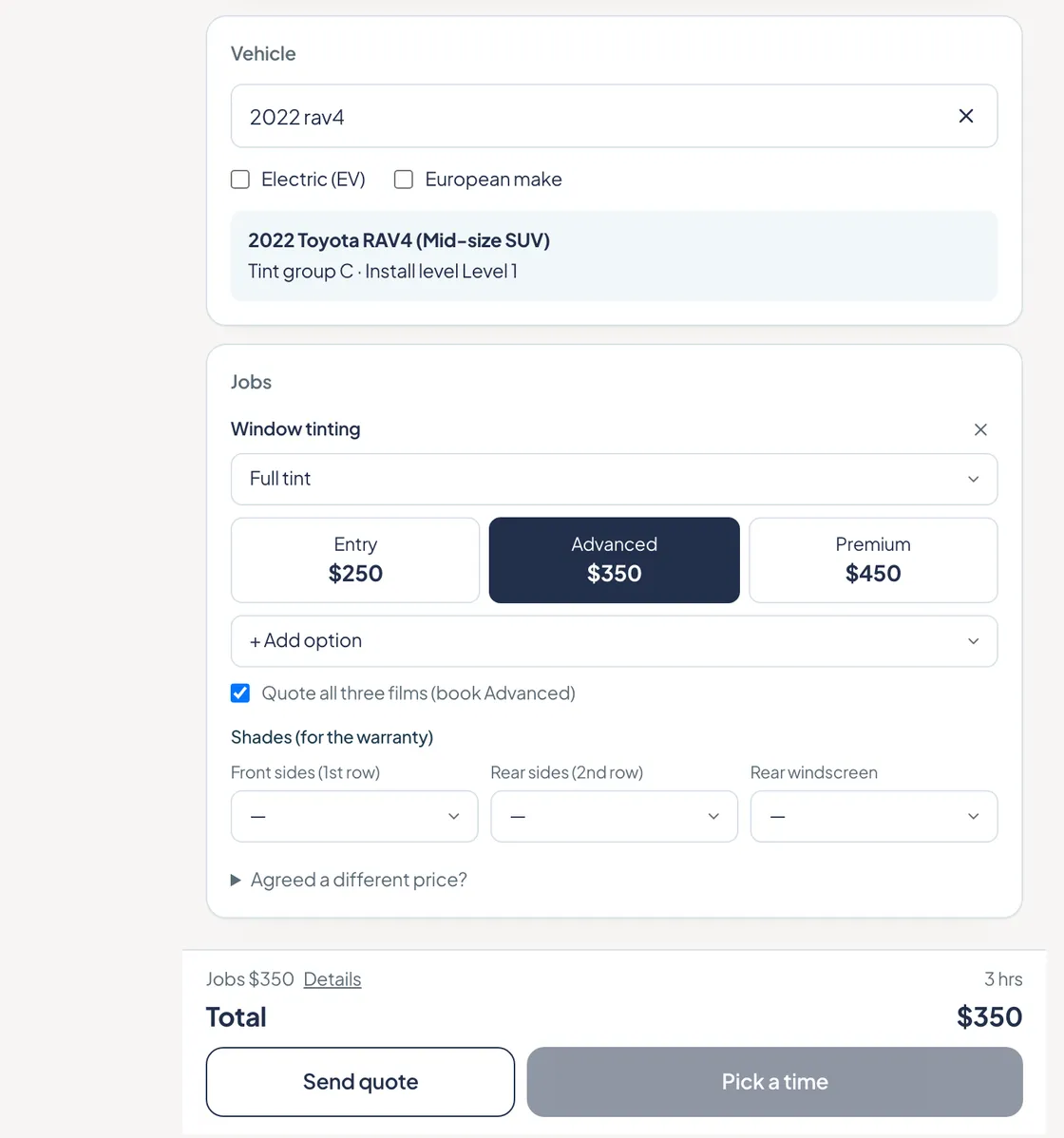
Staff pick the vehicle and the job, and the price is on screen. Customers can also choose a date and time that fits your opening hours and book online.
02
From ProPayments
Fewer no-shows with deposits up front.
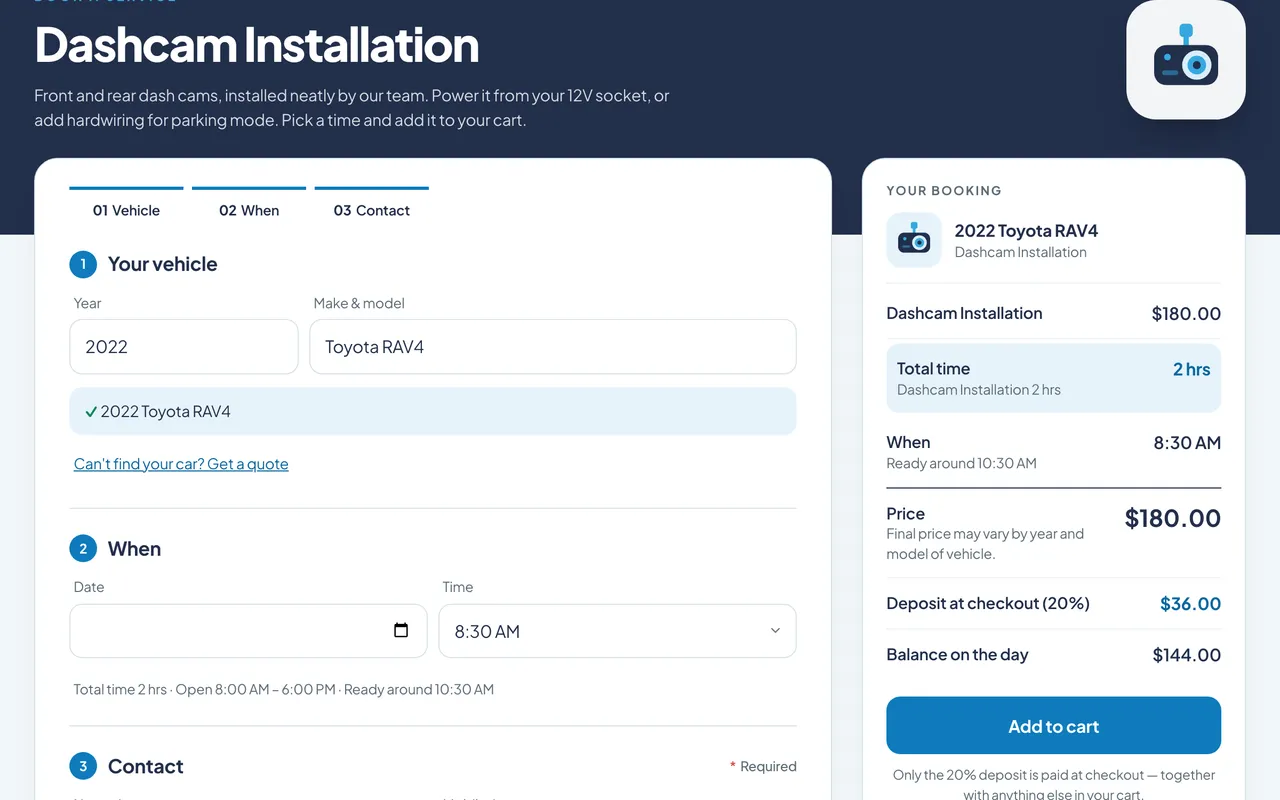
Customers see the price before they commit, then pay a deposit up front and the balance on the day.
03
From ProShop + stock
No more overselling.
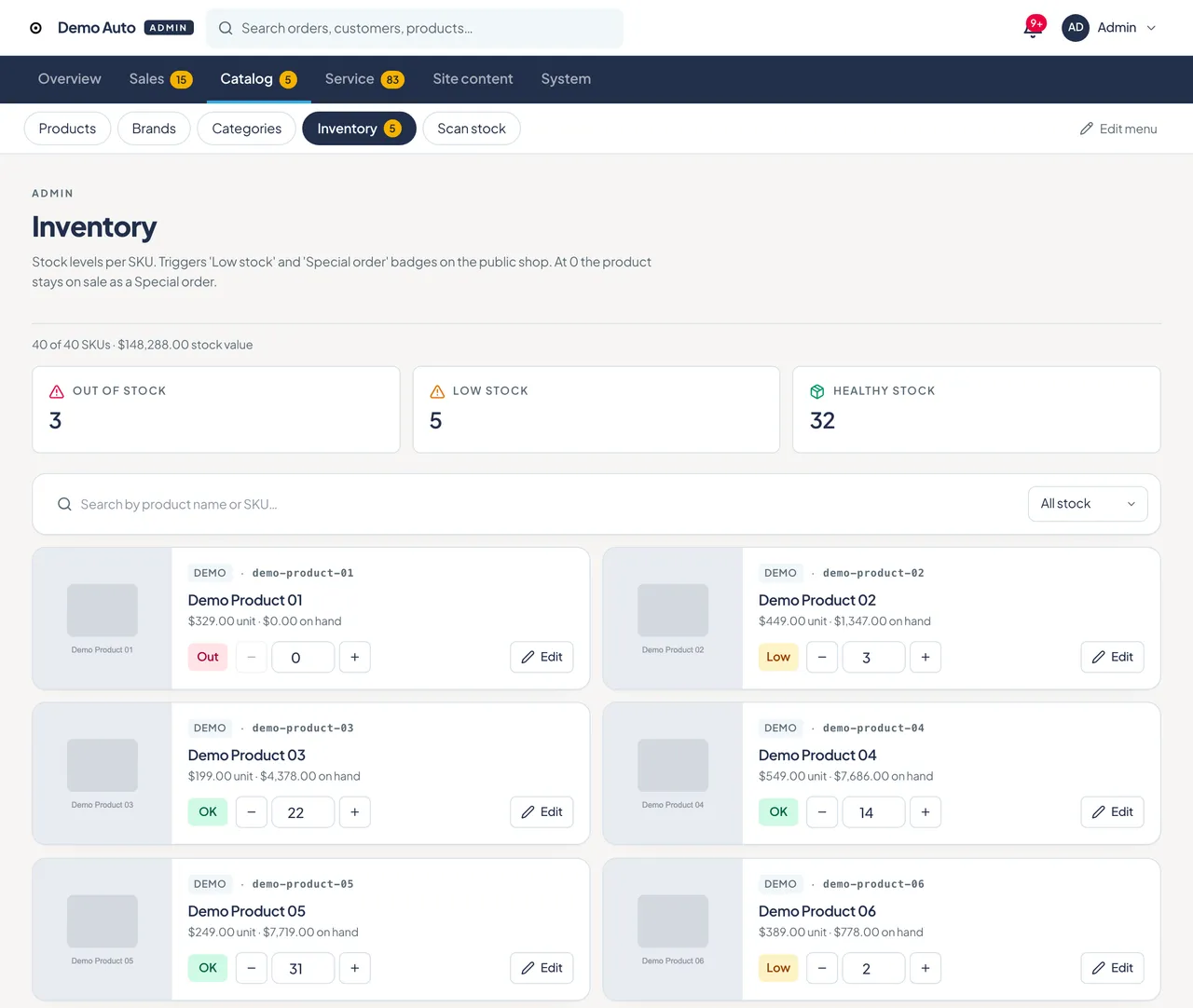
Sell products online and let the count update itself with every sale. Low and out-of-stock items stand out, and you can fix a number in one tap.
04
From ProAdmin page
Five minutes, not a call to a developer.
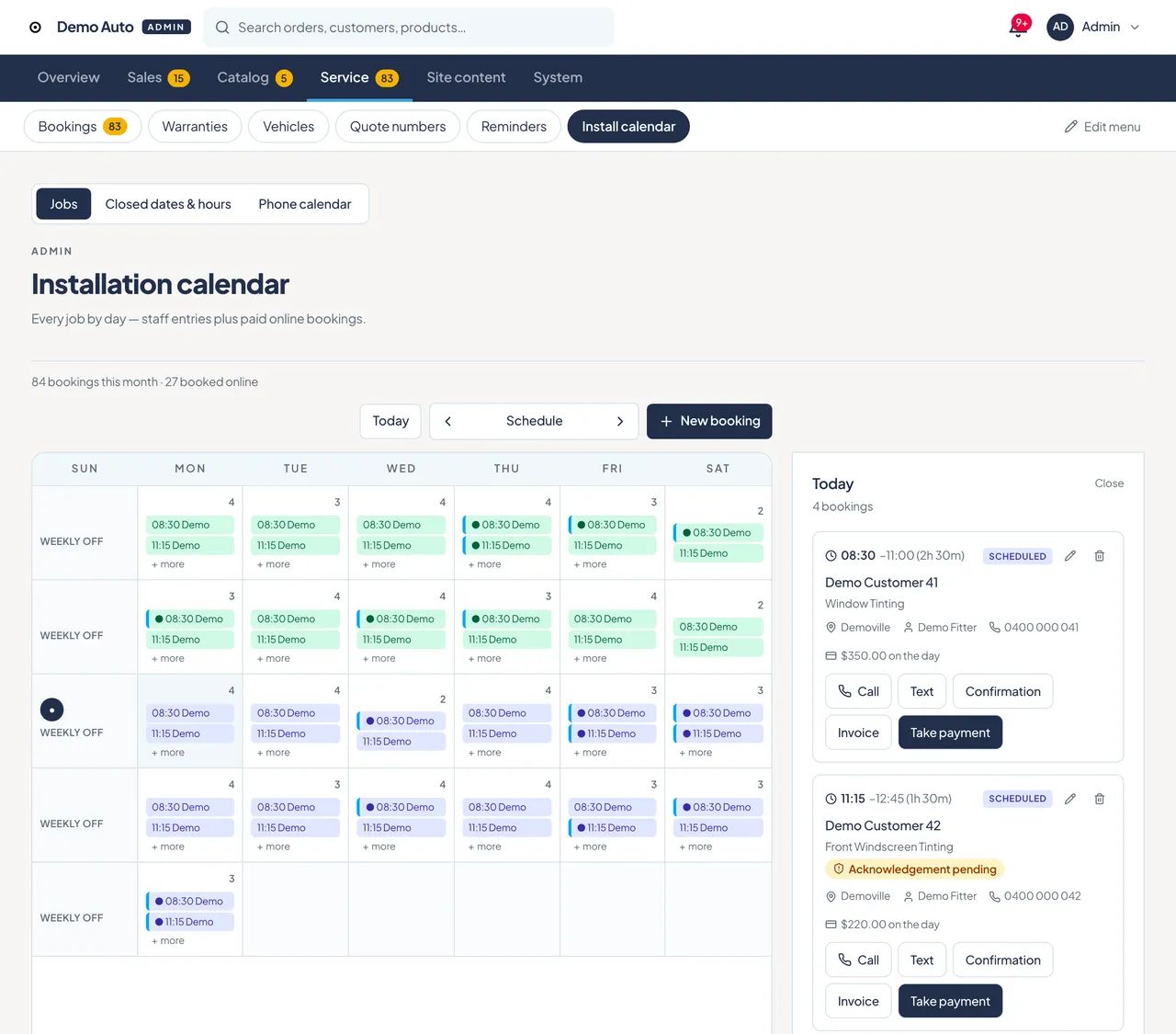
Today's jobs, prices, bookings and stock live on one admin page. See the day at a glance, then call, text or take payment from the same screen.
Demo screens with sample data.
Proof, not promises
We built it for our own business first.
The problem
We install window tint and car electronics. Most of the day our hands are busy on a car, so phone calls, quotes and stock checks used to happen at the worst possible moments.
What we built
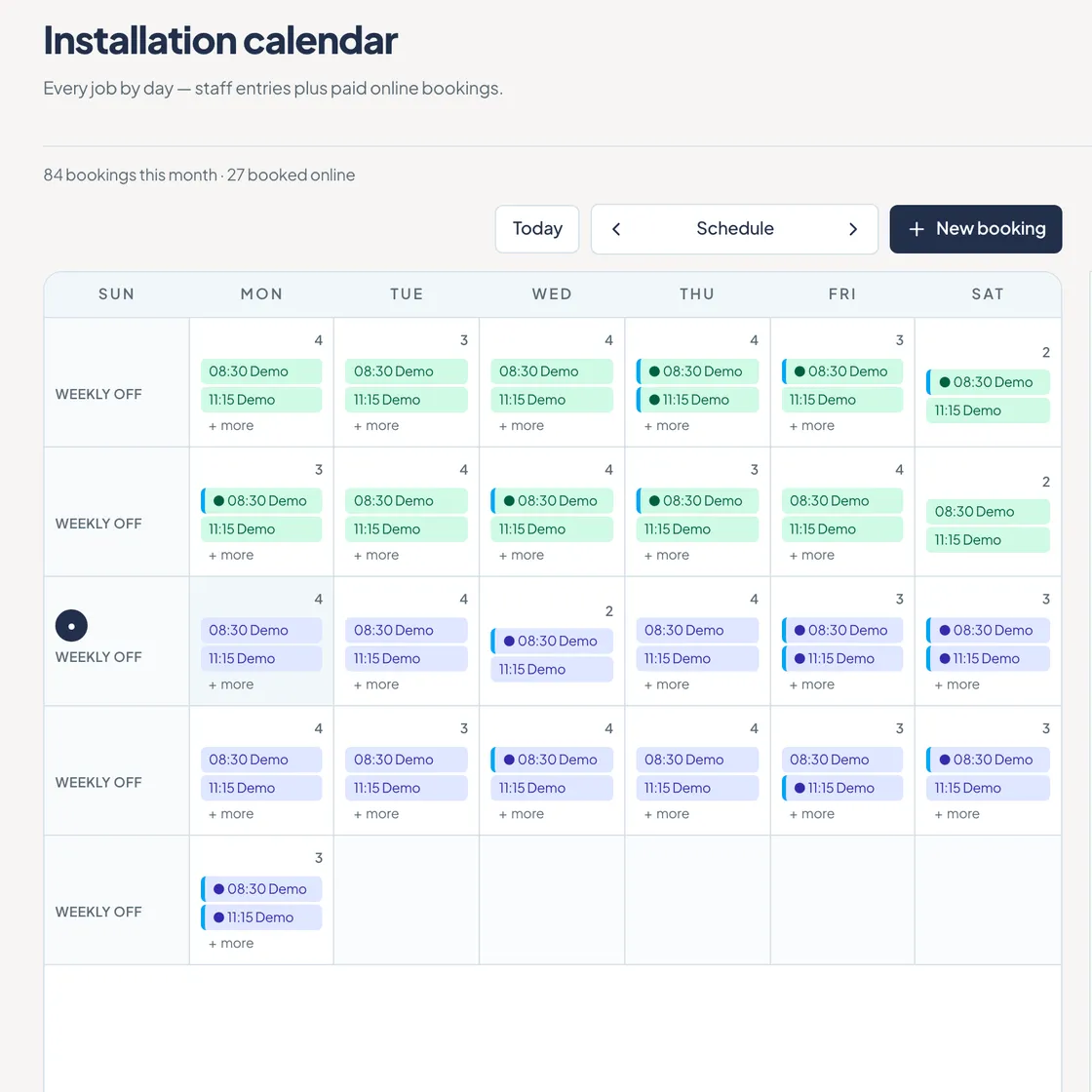
One system for the whole job. Quick quote prices a job on one screen and turns it into a booking. A calendar shows what's booked and lets us add a new booking in seconds. Stock sits in the same place as the shop and the orders.
Where we are now
Customers can book and pay online without calling. We run the day from a phone, and take payment in person on a tablet.
Demo screens with sample data.
Built for your trade
Same engine, shaped to your trade.
Every business gets its own design, services and booking rules. Not a one-size template.
- Live example
Auto and installers
Quote by vehicle, book by job length, track parts stock.
- Quick quote
- Calendar booking
- Stock
Hair and beauty
Pick a stylist and a treatment, and the time blocks itself.
Trades and mobile services
Quotes on site, bookings by area, deposits upfront.
Food pickup and pre-orders
Weekly menu, pre-order and pick-up slots, no sold-out surprises.
Clinics and studios
Appointments with reminders, so fewer no-shows.
Don't see your trade? Tell us about it.
The admin page
Run it from your phone.
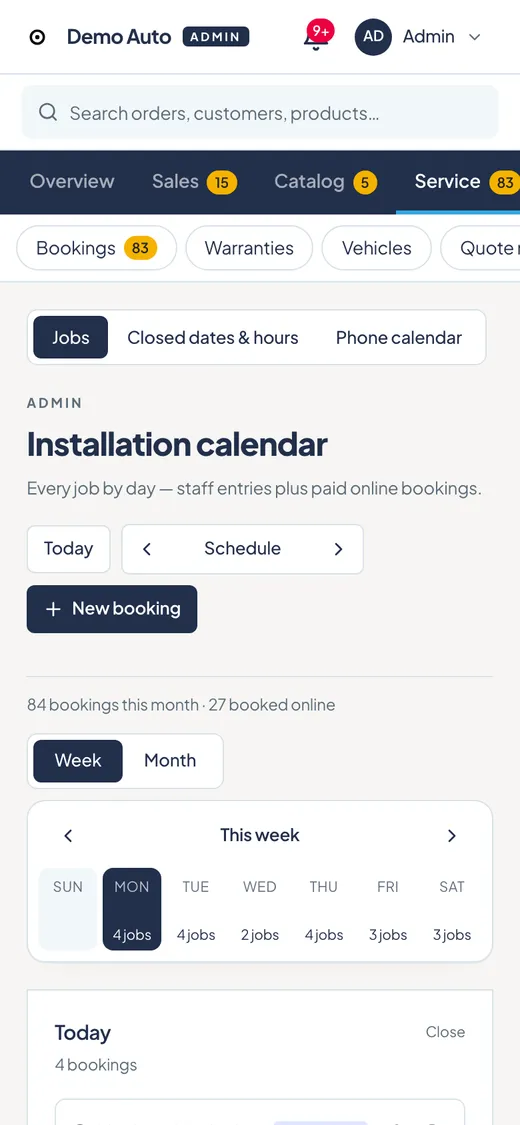
Most of our day is on a phone, so the admin page is built for one.
01
Today's jobs at a glance.
See what's booked today and what's coming, on one screen.
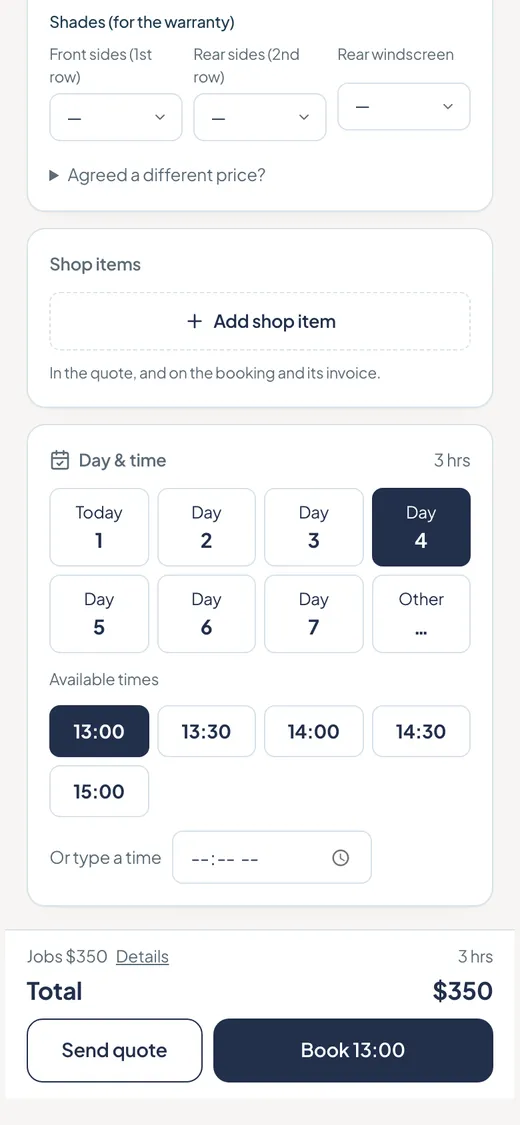
02
Add a booking in seconds.
Quote a job and book it straight into the calendar.
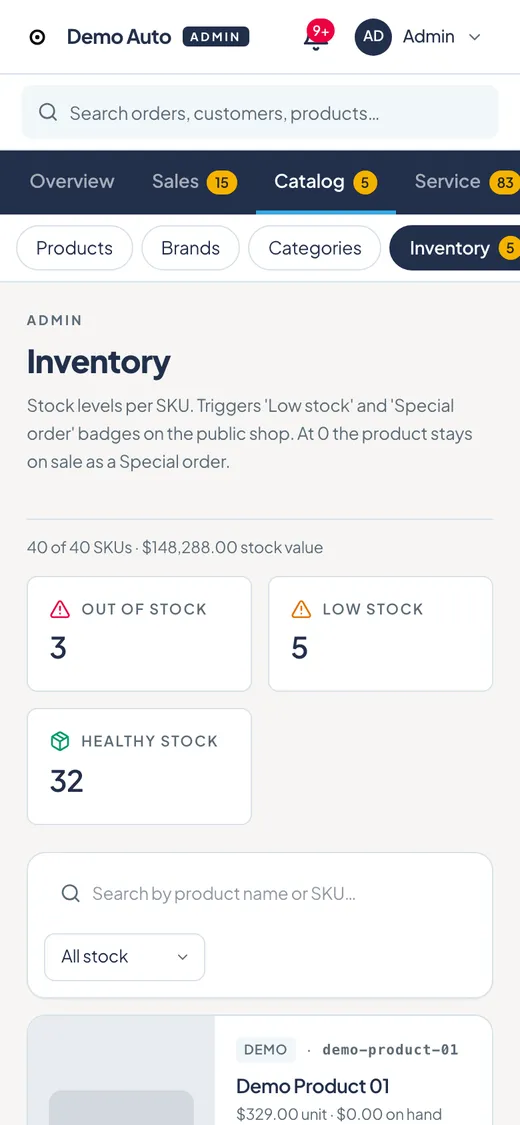
03
Stock that flags itself.
Low and out-of-stock items are marked automatically.
In person? Take payment on a tablet from the same booking page.
Demo screens with sample data.
Process
How it works
1. Call or meet.
Talk to us by phone or in person, whichever you prefer.
2. We list what we need.
We send you a clear checklist of the details and materials required. Send what you have to start.
3. We build, you review.
Booking and admin set up around how you work. You check it and we adjust.
4. Go live.
Your site is open for customers.
Most sites go live in about 2 weeks, depending on how quickly we get your details.
Compare
Don't fit your business to a template. We fit the site to how you work.
| Topic | Typical template | Joe knows digital |
|---|---|---|
| Structure | Fixed layout, you adapt to it | We start from how your trade works |
| Services and booking rules | Edit default settings | We define your services and booking rules together |
| Features | Extra features come along | Add only what you need by plan |
Structure
Typical template
Fixed layout, you adapt to it
Joe knows digital
We start from how your trade works
Services and booking rules
Typical template
Edit default settings
Joe knows digital
We define your services and booking rules together
Features
Typical template
Extra features come along
Joe knows digital
Add only what you need by plan
Pricing
Simple pricing. One setup fee, one monthly fee.
Starter
For trades that need a site, bookings and quotes.
From $1,500 setup
$80 / month
- A website built around your trade
- Online booking, with email alerts
- Quick quote
- Hosting, security and backups
- Small content edits
Pro
Everything in Starter, plus payments, stock and an admin for your day-to-day.
From $2,500 setup
$180 / month
- Everything in Starter
- Payments
- Stock management
- Admin screen for bookings and customers
Expert
Everything in Pro, plus invoicing, orders and a workflow built around your trade.
From $4,500 setup
$300 / month
- Everything in Pro
- Invoicing and order management
- Workflow built around your trade, planned with you
- Priority support: we reply within 1 business day.
The monthly fee covers hosting, security, backups and up to 4 small content edits a month. New features are quoted separately.
Setup fee: 50% to start, 50% at launch.
Your domain, content and customer data are yours.
All prices are in AUD and exclude GST.
FAQ
Before you get in touch
How long does it take?
Most sites go live in about 2 weeks, depending on how quickly we get your details.
What do I need to prepare?
After our first call or meeting, we send you a checklist of what we need. Send what you have to start.
When do I pay the setup fee?
50% to start, and 50% at launch.
What does the monthly fee cover?
Hosting, security, backups and up to 4 small content edits a month. New features are quoted separately.
What counts as a small edit?
Changes to text, prices, photos and opening hours.
Who owns my domain and data?
Your domain is registered in your name, and we help you set it up. Your domain, content and customer data are yours.
How do I see bookings on Starter?
You get a booking alert by email. Pro and Expert add an admin screen to manage bookings and customers.
Can I upgrade later?
Yes. Start with Starter and add features when you need them. We quote each upgrade based on what you're adding.
Contact
Tell us about your trade.
Call or email, and we'll arrange a call or a meeting that suits you. There's nothing to prepare first.
Based in Perth, Western Australia.